You are spending real money getting people to your store. Ads, SEO, influencer deals, email flows. The traffic is showing up. But the revenue is not matching it. That gap, traffic without conversion, is one of the most expensive problems in ecommerce, and most brands are solving it the wrong way.
The standard advice is to write better product descriptions, add trust badges, and simplify your checkout. You already know that. If you run a mid-to-large Shopify store, you are past entry-level CRO. What you need is a sharper look at what is structurally breaking your funnel, and a smarter way to find it fast.
Conversion rate optimization for Shopify is the process of increasing the share of visitors who complete a purchase, without spending more to acquire them. The average ecommerce conversion rate falls between 2.5% and 3%, but top-performing stores consistently reach 4% and above.That gap between average and top performance is not random. It is the result of deliberate, data-driven decisions at every stage of the buying journey.
Why Most Shopify Stores Leak Revenue Without Knowing It
The problem with traditional analytics is that it shows you where people leave, not why. If your add-to-cart rate is below 5%, the problem is almost certainly on your landing and product pages, not your checkout. But if your add-to-cart rate is healthy at 7% or above and your conversion rate is still low, look at checkout drop-off: surprise shipping costs, mandatory account creation, and slow page speed are the most common culprits.
Most teams skip this diagnostic step and go straight to testing. That is expensive guesswork. Your store could have strong products and high-performing ads, but technical friction destroys conversions before a shopper ever reaches the cart.
This is where Revvy AI changes the equation. Unlike standard analytics platforms that surface drop-off rates, Revvy AI is an AI agent that audits your store, identifies what is killing sales, and tells you exactly what to fix. It does not show you a dashboard full of numbers. It tells you that your call-to-action button is below the fold on mobile and gives you the specific fix. That level of precision is what separates a store that converts at 2% from one converting at 4%.
Micro-Conversion Architecture: The CRO Layer Most Brands Ignore
Larger brands need to stop thinking about CRO as a single-page problem and start thinking about micro-conversion architecture. This means optimizing every small decision a shopper makes before they ever reach the cart.
On a product page, that includes how quickly a visitor understands the value proposition, whether the visual hierarchy guides the eye toward the add-to-cart action, and how the page handles objections without creating new friction. On a collection page, it means whether filtering logic matches the mental model of your buyer, not the backend logic of your inventory system.
What larger brands need to focus on is micro-conversion architecture, which means optimizing the small decisions a shopper makes before they ever reach the cart.
This applies to navigation depth, image load sequencing, variant selector placement, and the cognitive load your page places on someone who is comparison shopping across multiple tabs.
You can explore how to approach this systematically in our guide to running an ecommerce CRO audit, which breaks down the specific funnel layers to examine during an audit.
The Mobile Gap Is Still Draining Revenue

Mobile ecommerce has the highest cart abandonment rate at 85.65%, compared to 73.76% on desktop. Conversions can also fall by up to 20% for every one-second delay on mobile.
Mobile traffic now accounts for roughly half of all ecommerce visits, yet mobile conversion rates consistently lag desktop by about one full percentage point. For any store generating significant mobile traffic, even a modest improvement in mobile UX translates directly to revenue.
The fix is not just responsive design. It is mobile-specific funnel design. Your CTA placement, sticky add-to-cart behavior, image compression, and form field count all need to be reviewed through a mobile-first lens. Tools like lazy loading reduce initial payload without sacrificing visual quality. But identifying which specific element on mobile is costing you conversions requires behavioral data layered on top of your traffic data.
Revvy AI surfaces these mobile-specific friction points automatically, so you are not manually comparing desktop and mobile session recordings to find the problem.
Checkout Optimization: Where Revenue Is Won or Lost
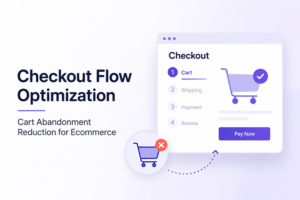
Roughly 18% of shoppers abandon carts because the checkout process is too long or complicated. Even a single extra step or unclear cost can cost you conversions.
For Shopify stores, the highest-converting checkouts share a few structural traits:
- Digital wallets enabled (Shop Pay, Apple Pay, Google Pay)
- No mandatory account creation before purchase
- Shipping costs surfaced before the checkout screen, not at payment
- Single-page or minimal-step checkout flow
The stores with the lowest checkout abandonment rates all had Shop Pay and Apple Pay enabled and used Shopify’s optimized checkout flow rather than custom solutions.
Custom checkout builds often introduce JavaScript conflicts, slower load times, and untested edge cases that quietly suppress conversion.
If you manage multiple storefronts, the CRO tools guide for multi-brand ecommerce platforms is worth reading. It covers how to audit checkout performance across different store types without blending your data.
Personalization at Scale: Beyond Segmentation
Generic product recommendations based on category browsing are table stakes. Advanced ecommerce personalization uses behavioral signals, traffic source data, and session context to serve dynamically adjusted content.
See what Revvy finds in your own store, no card required.
Ecommerce marketers can convert upward of 30% more visitors using AI-powered tools that surface the best content for the incoming user. The mechanism is straightforward. A shopper arriving from a paid social ad with a specific product angle should land on a page that reflects that angle, not a generic product page built for organic search traffic.
This is what makes traffic-source-specific landing pages so effective. They reduce the cognitive gap between the ad promise and the page reality. Closing that gap is one of the fastest conversion levers available, and it does not require a redesign, just smarter page routing.
For a deeper look at how CRO strategy differs by store type, the different categories of ecommerce stores breakdown explains how single-product, subscription, and multi-category stores each require different optimization logic.
Using AI to Replace Manual Auditing
Manual CRO audits are slow. A skilled analyst working through session recordings, heatmaps, and funnel drop-off data can take weeks to produce a prioritized fix list. During that time, your store is still losing revenue.
Revvy AI compresses that process. It monitors your store continuously, ranks issues by revenue impact, and delivers specific fixes rather than raw data. Where Google Analytics tells you that 70% of users abandon checkout, Revvy tells you why and how to fix it. That specificity matters for large ecommerce teams who need to move fast and justify every development sprint.
You can see how this approach plays out in practice in the CRO software guide for ecommerce marketing agencies, which compares how different platforms handle behavioral analytics, prioritization, and actionability.
The ROI Case for Optimizing Before Scaling Ad Spend
Always optimize before you scale. Doubling your ad budget on a store converting at 1% just doubles your cost. Getting that store to 2% first means every future dollar of ad spend goes twice as far.
A 1% increase in conversion rate on a store doing $10 million in sales adds $100,000 in revenue instantly, without spending a single extra dollar on ads. For a large Shopify brand, that math makes CRO one of the highest-return investments available, especially when the fix list is already identified and ranked.
Start with the highest-impact blockers. Fix the mobile checkout friction. Remove unnecessary steps. Tighten the product page hierarchy. Then scale your traffic with confidence that the funnel will hold.
FAQs: Shopify Ecommerce Conversion Rate Optimization
Shopify stores with optimized fundamentals typically hit 3 to 4% conversion rates. Stores above 4% usually have strong brand awareness, great UX, and active CRO programs running. Stores below 2% almost always have identifiable, fixable issues such as slow pages or a confusing cart.
Identify whether your add-to-cart rate or your checkout completion rate is the bigger gap. Low add-to-cart means the problem is on your product and collection pages. Low checkout completion usually points to friction at payment, unexpected costs, or trust issues. A tool like Revvy AI automates this diagnosis and ranks issues by revenue impact.
Yes. Luxury ecommerce conversion rates sit around 1 to 2%, compared to 3 to 5% for mainstream stores, because the buyer journey is longer and more trust-dependent. Optimization in this category focuses on value, trust signals, and experience rather than urgency or discounts.The CRO guide for luxury ecommerce brands covers this in detail.
Small changes like fixing a CTA can show results in about two weeks. More substantial improvements like checkout restructuring may require four to twelve weeks of data to be statistically significant. Prioritizing fixes by revenue impact ensures you see measurable gains early in the process.