If your Shopify store is getting traffic but not converting, you already know the frustration. You have run ads, tweaked your product pages, maybe even changed your theme, but the numbers refuse to move. The problem is not always your product or your price. Most of the time, it is a conversion rate optimization (CRO) problem hiding in plain sight.
The good news is that fixing it does not require a complete redesign. What it requires is a data-driven approach to understanding how visitors actually behave in your store and then making targeted changes that remove friction and build trust at every step of the buyer journey.
What Actually Moves the Needle on Shopify Conversions
Most guides will tell you to write better product descriptions or add a trust badge. You already know that. What larger brands need to focus on is micro-conversion architecture, which means optimizing the small decisions a shopper makes before they ever reach the cart.
One of the most overlooked areas is session depth and intent signals. Not every visitor lands on your store at the same stage of the buying journey. Someone arriving from a branded search query is far closer to purchase than someone clicking through a discovery ad. If your product page shows the same experience to both, you are wasting conversion potential on one and overwhelming the other.
A smarter approach involves using behavioral segmentation to serve different content layers based on scroll depth, time on page, and traffic source. For example, a visitor spending 45 seconds on a product page without adding to cart is a strong candidate for an in-page social proof trigger rather than a generic discount pop-up. This distinction matters enormously for average order value (AOV) and customer acquisition cost (CAC).
Find every conversion gap holding your Shopify store back, and get a fix list you can act on in minutes
Shopify Store Optimization Starts With Your Product Page Architecture
Your product page is not just a sales tool. It is a trust machine, and it needs to work harder than most Shopify merchants realize. According to data from Baymard Institute, the average e-commerce cart abandonment rate sits above 70%. A large share of that happens because product pages fail to answer objections before checkout.
Here is what high-performing product pages do differently:
- They place primary purchase intent signals (reviews, social proof, scarcity) within the first viewport, not buried below the fold.
- They use progressive disclosure for product variants, showing the most popular option first and hiding complexity.
- They connect product benefits to real customer outcomes, not just features.
The structure of your content matters as much as the content itself. On mobile, where the majority of Shopify traffic now originates, a page that loads images before trust elements is losing conversions in the first three seconds.
How AI-Powered Personalization Closes the Gap
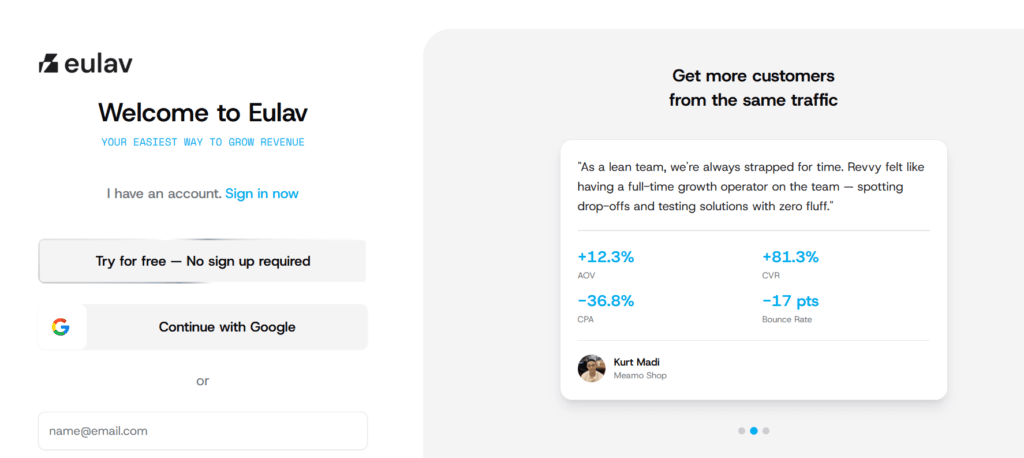
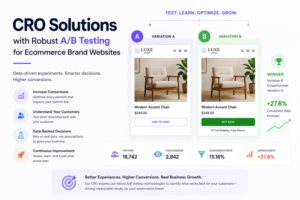
Here is where the real leverage is. Manual A/B testing takes time, and by the time you have statistical significance, your traffic patterns may have shifted. This is where a platforms like Eulav becomes genuinely valuable for mid-to-large Shopify brands.
Eulav uses real-time behavioral data to personalize the shopping experience dynamically. Instead of showing the same product recommendations to every visitor, it reads intent signals and adjusts what is shown based on browsing patterns, purchase history, and session context. This kind of dynamic product recommendation engine reduces decision fatigue, which is one of the main silent killers of e-commerce conversions.
For brands managing large catalogs, this also solves a serious discoverability problem. Products that sit below the top three rows of a collection page essentially do not exist for most shoppers. Revvy AI surfaces the right products to the right visitor at the right moment, which directly impacts both conversion rate and revenue per session.
Fix Your Checkout Flow Before You Spend More on Ads
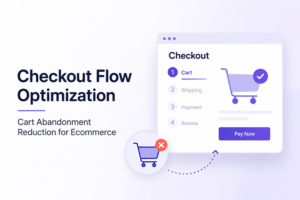
A common mistake is investing in traffic while ignoring post-click friction. Your checkout optimization strategy is often worth more than your next ad spend.
Specifically, look at these three high-impact areas:
- One-page checkout vs. multi-step: Shopify’s native checkout is good, but custom flows for high-AOV products often outperform it because they reduce perceived effort.
- Post-purchase upsell sequences: This is one of the highest-ROI touchpoints in the entire funnel. A well-placed upsell after the initial purchase confirmation can increase revenue per order by 15 to 30% without adding any acquisition cost.
- Abandoned cart recovery timing: Most stores send the first recovery email too late.
Shopify SEO and CRO Work Together, Not Separately
One mistake brands often make is treating Shopify SEO and CRO as separate disciplines. They are not. A page that ranks well but converts poorly signals to Google that the content is not satisfying user intent, which can erode your rankings over time.
Optimizing for search intent and conversion simultaneously means your headings, content structure, and calls to action need to reflect what users actually want when they search for your product. For example, a shopper searching for “best ergonomic office chair under $500” wants a comparison-ready page with clear decision criteria, not a generic product description. Matching that intent in your copy while making the purchase path frictionless is how you build pages that rank and convert.
See what Revvy finds in your own store, no card required.
Internal content that supports your product pages also matters. Linking from buying guides and educational blog posts to product pages creates topical clusters that reinforce both your SEO authority and your customer’s confidence before they buy.
Use Analytics to Find Your Biggest Revenue Leaks
Before you make any changes, you need to know where the problem is. Tools like Google Analytics 4, Hotjar, and Shopify’s native analytics can show you exactly where visitors drop off. But the key is not just collecting data. It is knowing which metrics actually predict revenue.
The three ratios you should watch are:
- Add-to-cart rate (benchmarks around 7 to 10% for healthy Shopify stores)
- Cart-to-checkout rate (anything below 50% suggests friction in the cart experience)
- Checkout completion rate (below 60% typically points to payment or trust issues)
If any of these are underperforming, you have found your priority. Fix the leak before you turn up the traffic.
FAQs: Optimize Your Shopify Store for Better Sales With These CRO Strategies
The average Shopify conversion rate sits between 1.4% and 3.2% across most categories. However, niche stores with strong email list marketing and repeat buyer programs regularly exceed 4 to 5%.
Start with simplifying the checkout experience, adding trust indicators near the payment section, and setting up a timed recovery sequence. For brands with high traffic volume, AI-driven retargeting through tools like Revvy AI can personalize recovery messages based on what specific products the shopper was looking at.
Yes, significantly. A one-second delay in page load time can reduce conversions by up to 7%, according to data from Google. Compress images, reduce app bloat, and consider a performance-first theme if your Core Web Vitals scores are poor.
Always optimize before you scale. Doubling your ad budget on a store converting at 1% just doubles your cost. Getting that store to 2% first means every future dollar of ad spend goes twice as far.
Optimizing your Shopify store for better sales is not a one-time project. It is a continuous cycle of testing, measuring, and refining. Start with the highest-leverage areas, fix your product page experience, tighten your checkout flow, and use tools like Eulav to automate personalization at scale. If you found this useful, share it with your team or drop a comment with the specific bottleneck you are working through right now.