Your store is getting traffic, but the sales aren’t matching. Customers are landing on your pages, browsing a little, then leaving without buying. You’ve tried tweaking your product copy, running ads, and even offering discounts, but nothing seems to move the needle in a meaningful way. Sound familiar?
The problem is rarely the product. In most cases, it’s something buried inside the store itself: a slow page, a broken checkout flow, missing schema markup, or duplicate content silently dragging down your rankings. A proper WooCommerce store audit brings all of these issues to the surface so you can fix what’s actually costing you money instead of guessing.
This guide walks you through the complete audit process, from technical SEO to conversion rate optimization, so you can stop bleeding revenue and start growing with intent.
What a WooCommerce Store Audit Actually Covers
A WooCommerce store audit is not just an SEO health check. It’s a structured review of everything that affects how your store performs technically, commercially, and experientially. Most store owners only look at surface-level metrics like traffic volume or bounce rate, and completely miss the structural issues that prevent Google from ranking their pages or customers from completing purchases.
According to Ahrefs’ 2025 ecommerce benchmarking data, stores that run a proper audit and act on findings see 30 to 50% more indexed pages and 15 to 25% higher organic traffic within 90 days. That’s not a minor improvement. It’s the difference between a store that grows and one that stagnates.
A complete audit covers five core areas:
- Technical SEO and crawlability
- On-page optimization for product and category pages
- Site speed and Core Web Vitals
- Conversion rate and user experience
- Content quality and internal linking
Each area compounds the others. A fast site with weak product pages still won’t convert. Great content on a site Google can’t crawl properly still won’t rank. The audit treats the store as a system.
Find out what’s quietly costing your WooCommerce store revenue and fix it before more customers drop off
Step 1: Technical SEO: Make Sure Google Can Find You
The first thing any WooCommerce SEO audit must address is whether Google can actually crawl and index your store properly. WooCommerce generates a lot of URLs (product variations, tag pages, filtered category pages) and without proper configuration, you can end up with thousands of duplicate or near-duplicate pages competing against each other.
Start by running a crawl with Screaming Frog or a similar tool. You’re looking for broken links (4xx errors), redirect chains, orphaned pages, and any URLs being blocked in your robots.txt that shouldn’t be. Then open Google Search Console and check the Coverage report. If your store has 500 products but only 200 are indexed, something is filtering them out, and that’s revenue sitting on the table.
Your XML sitemap should be clean and accurate. Only indexable pages should be listed. If a product page carries a noindex tag, it has no business appearing in the sitemap. Contradictory signals confuse Googlebot and slow down indexation.
Pay special attention to faceted navigation. If your WooCommerce store uses layered filtering (say, by size, color, and price) every filter combination could be generating a unique URL. Left unchecked, this creates thousands of thin, duplicate pages that dilute your crawl budget and suppress your rankings. The fix involves either consolidating those URLs with canonical tags or blocking them via robots.txt, depending on whether they hold any unique search value.
For stores with product variations, this is where things get tricky. WooCommerce doesn’t handle variation metadata well by default: only the base product gets indexed while variations remain invisible to search engines. If you sell a product in multiple configurations, you’re likely losing a significant amount of long-tail search traffic simply because Google can’t see those variants.
Step 2: On-Page Optimization: Product and Category Pages
Once you’ve confirmed Google can find your pages, the next step is making sure those pages are worth ranking. This is where most stores have the widest gap between where they are and where they could be.
Every product page needs a unique title tag that includes the product name, a modifier (brand, key feature, or a buying signal like “buy” or “free shipping”), and stays under 60 characters. The meta description should sit under 160 characters, include the primary keyword, a benefit, and a call to action. These aren’t optional extras; they directly affect your click-through rate from Google’s search results, which in turn signals to Google that your pages deserve higher placement.
Category pages are even more valuable than most store owners realize. Google wants to see real, unique content on category pages, not just a grid of product images. A brief introductory paragraph (200 to 300 words) that explains what the category contains and who it’s for can meaningfully improve rankings for those high-value, high-intent category keywords. This is something you can explore further in our guide on ecommerce CRO audit strategies.
Internal linking also deserves attention here. When your product pages link to related products and relevant category pages, you pass authority through the site and help both users and search engines navigate your catalog more effectively.
Step 3: Site Speed and Core Web Vitals
Page speed is no longer just a nice-to-have. Google’s Core Web Vitals are a confirmed ranking factor, and slow WooCommerce stores pay a penalty in both rankings and conversions. The benchmarks to hit are LCP (Largest Contentful Paint) under 2.5 seconds, INP (Interaction to Next Paint) under 200 milliseconds, and CLS (Cumulative Layout Shift) under 0.1.
Run your store through PageSpeed Insights and pay attention to both mobile and desktop scores. Mobile is weighted more heavily for ecommerce because a significant portion of your traffic (often over 60%) arrives on phones.
Common WooCommerce speed culprits include oversized images, plugin bloat, unoptimized JavaScript loading, and heavy themes that load far more than any single page needs. Auditing your active plugins with a tool like Query Monitor can reveal which ones are adding scripts to product pages without any benefit to the user. Every unnecessary script is a tax on your load time.
Step 4: Conversion Rate Optimization Within the Audit
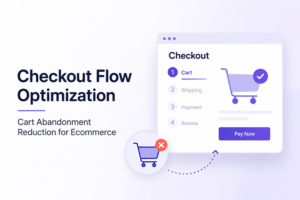
An audit that only looks at SEO misses half the picture. You might rank on page one and still lose money if your checkout flow is leaking customers. Conversion rate optimization (reviewing the path from landing page to completed purchase) should be part of every WooCommerce store audit.
Look at your cart abandonment rate. If people are adding products but not completing checkout, the friction is usually one of three things: unexpected shipping costs revealed too late, a confusing or slow checkout page, or a lack of trust signals at the point of purchase. Understanding how to review your product images and visual trust signals is one of the most underrated levers in this part of the audit.
This is where having a tool that monitors your store continuously rather than running a one-time audit manually becomes genuinely valuable. Revvy by Eulav scans your WooCommerce store in real time, surfaces the issues that are costing you revenue, ranks them by commercial impact, and shows you exactly how to fix them. One store saw their conversion rate jump from 3.05% to 3.93% within weeks of acting on Revvy’s recommendations that’s a 28.9% improvement without any additional traffic.
If you’re tired of sifting through dashboards manually and want to spend less time diagnosing and more time selling, this is the kind of tool that changes the dynamic.
Step 5: Content Quality and Structured Data
Google’s Helpful Content guidelines have raised the bar for what passes as useful on-page content. Thin product descriptions copied from a supplier’s feed, category pages with zero explanatory text, and blog content written purely for keyword volume are all now liabilities rather than assets.
Every product description should answer the questions a buyer would actually have not just list specifications. What problem does this product solve? Who is it for? What should the buyer know before purchasing? This kind of content builds trust and reduces refund rates, not just rankings.
Structured data (schema markup) is the other critical piece. WooCommerce stores should have Product schema on every product page, with fields for name, description, price, availability, and review ratings. This enables rich results in Google star ratings, pricing, and availability shown directly in search listings which meaningfully increases click-through rate without requiring any improvement in ranking position.
See what Revvy finds in your own store, no card required.
For a deeper look at how structured data fits into a broader optimization strategy, our guide on ecommerce conversion rate optimization breaks this down further.
Turn more WooCommerce visitors into customers by identifying the hidden conversion leaks in your store
The Audit Is Only as Valuable as What You Do With It
Running a WooCommerce store audit and producing a report changes nothing on its own. The value is in prioritization and execution. Start with the issues that have the highest commercial impact if a category page drives 40% of your revenue and it has thin content and no schema, that’s your starting point, not a generic site-wide fix.
Stop Losing Revenue You’ve Already Earned
Your store is working harder than it needs to and earning less than it should. A proper WooCommerce audit reveals exactly where customers are dropping off, what’s suppressing your rankings, and which fixes will move the revenue needle fastest.
FAQs: WooCommerce Store Audit
A full technical and SEO audit is worthwhile every six months, with lighter monthly checks on Core Web Vitals, indexation, and conversion metrics. Stores running active ad campaigns or publishing new products frequently should monitor more often, since new pages introduce new opportunities for errors.
A general SEO audit applies to any website. A WooCommerce-specific audit accounts for the platform’s unique challenges variation handling, faceted navigation, plugin conflicts, cart and checkout flow, and WooCommerce-specific schema markup. The platform quirks matter a great deal to how findings should be interpreted and fixed.
Yes, partially. Free tools like Google Search Console, PageSpeed Insights, and Screaming Frog’s free version will surface some issues. The limitation is prioritization knowing which issues actually cost you revenue versus which are cosmetic. Professional audits and tools like Revvy add that layer of commercial context that self-service tools lack.
Technical fixes like correcting crawl errors, fixing redirects, and improving page speed can show ranking improvements within four to eight weeks. Content improvements take a little longer, typically two to three months, because Google needs to recrawl, re-evaluate, and eventually re-rank the updated pages.
Yes, significantly. A one-second delay in page load time can reduce conversions by 7%, according to widely cited ecommerce performance research. This means a slow WooCommerce store costs you money even if it ranks well. Speed affects both how Google ranks you and whether visitors who arrive actually buy.